


The fastest way to study isn't rereading your notes. It's testing yourself. But writing your own practice quiz from a PDF takes forever—and by the time you've typed out all the questions, you've already memorized them, which defeats the purpose.
Digestly lets you generate a quiz from any PDF in seconds. Upload your lecture notes, textbook chapter, or slides, generate notes, and switch to the Quiz tab—a full practice test with multiple-choice and written-answer questions is ready to take immediately.
Generate your first quiz free →
Why Practice Quizzes Beat Rereading
You've probably experienced this: you read a chapter twice, feel confident, then blank on the exam. That's because recognition isn't the same as recall.
Practice testing (also called retrieval practice) forces your brain to pull information from memory—which is exactly what an exam requires. Research shows it's one of the most effective study strategies:
- Students who self-test retain 50% more than those who just reread
- Practice questions reveal gaps you didn't know you had
- Active recall strengthens memory every time you retrieve an answer
The problem has never been whether quizzes work. It's that creating quiz questions from your notes takes too long. That's what AI solves.
Upload a PDF and get quiz questions instantly →
How to Generate a Quiz From Your PDF
Step 1: Upload Your PDF
Drag and drop any PDF into Digestly—lecture notes, textbook chapters, professor slides, study guides, or research papers. No page limit, no formatting required.
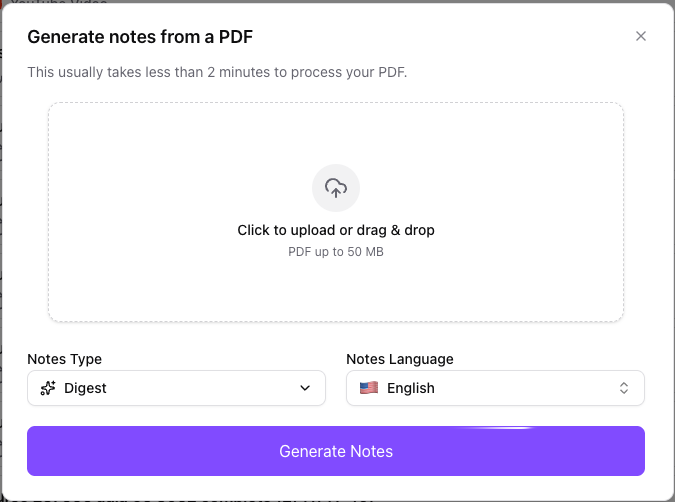
Step 2: Generate Notes
Hit "Generate Notes" and Digestly processes your document into structured study notes, extracting the key concepts and information from your PDF.
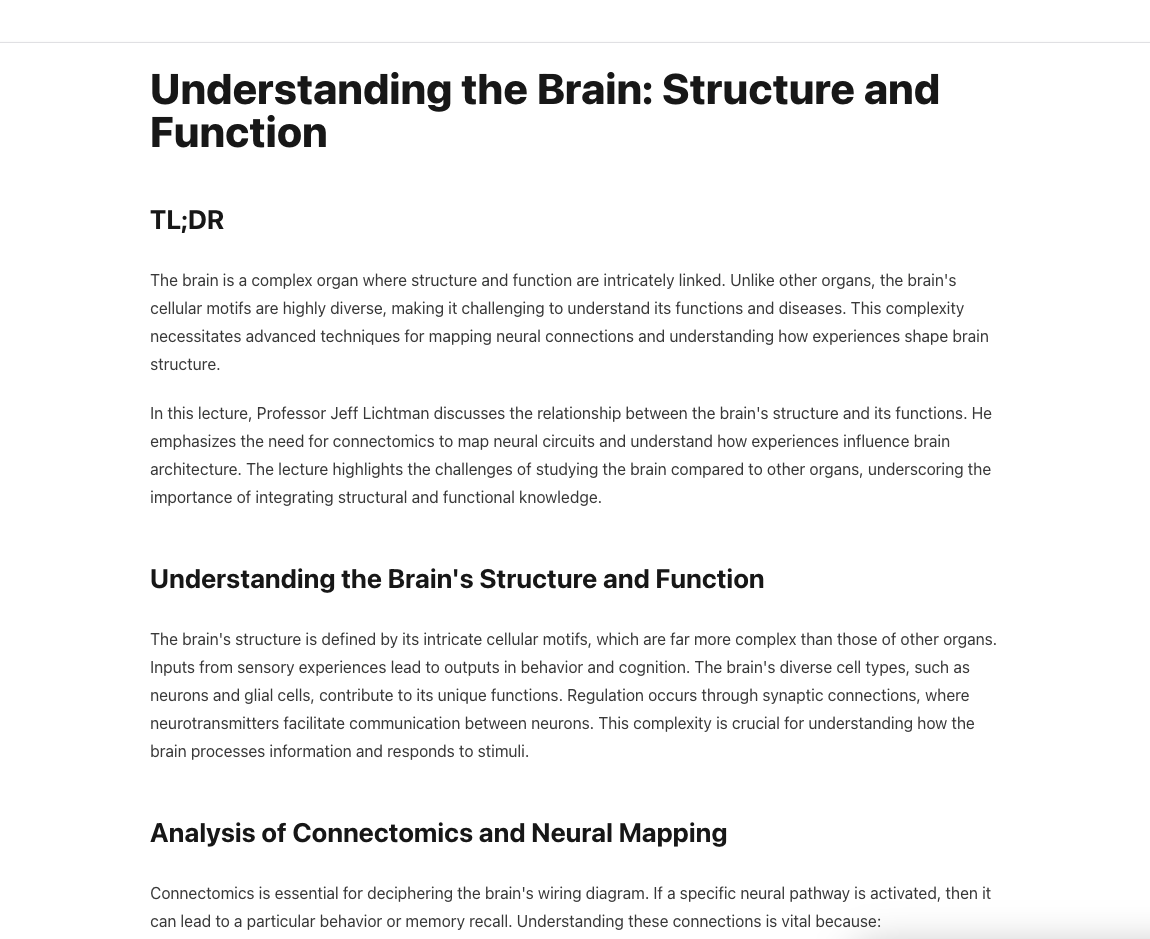
Step 3: Switch to the Quiz Tab and Generate
Once your notes are ready, navigate to the Quiz tab and generate a practice quiz. Digestly creates a mix of question types from your material:
- Multiple-choice questions — Test recognition and application of concepts
- Written-answer questions — Require you to recall and explain in your own words
The AI focuses on what matters: key definitions, important relationships, core arguments, and critical details.
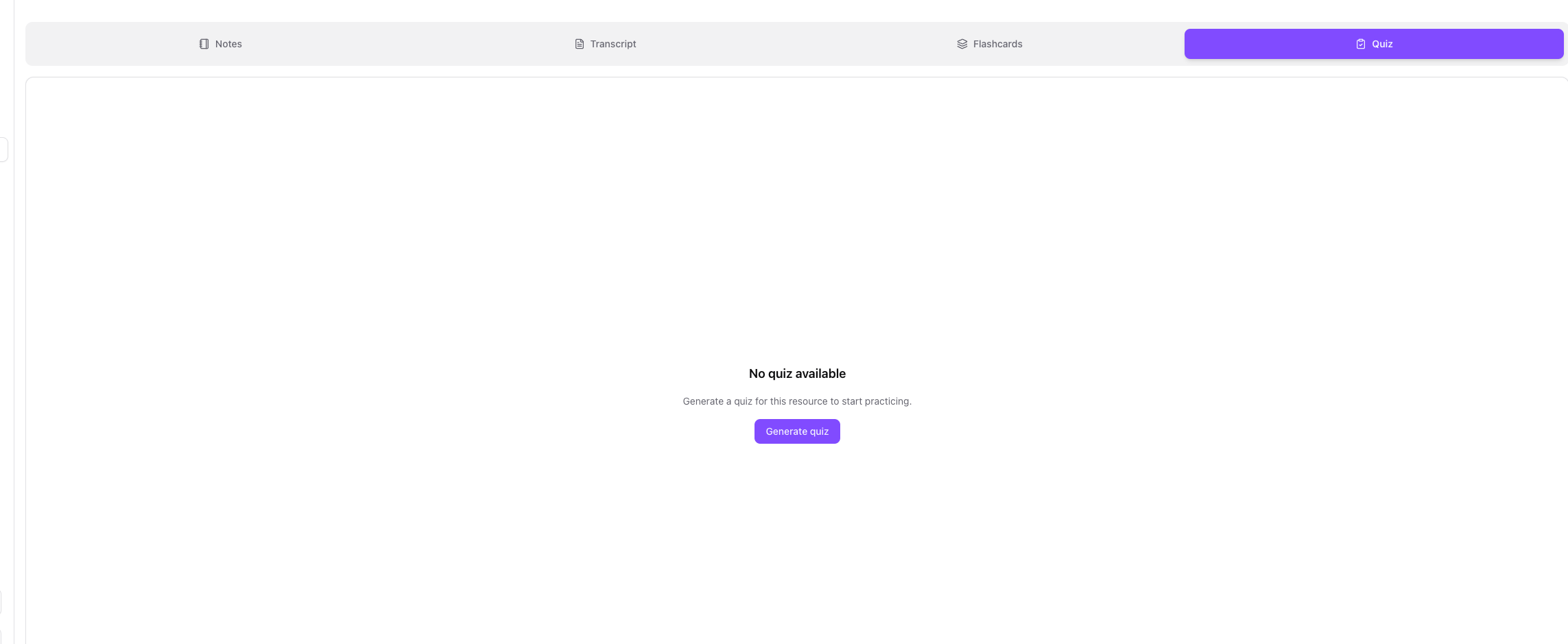
Step 4: Take the Practice Quiz
Start the quiz and answer each question. You'll see your progress as you go—how many you've answered, how many are correct, and how much time you've spent.
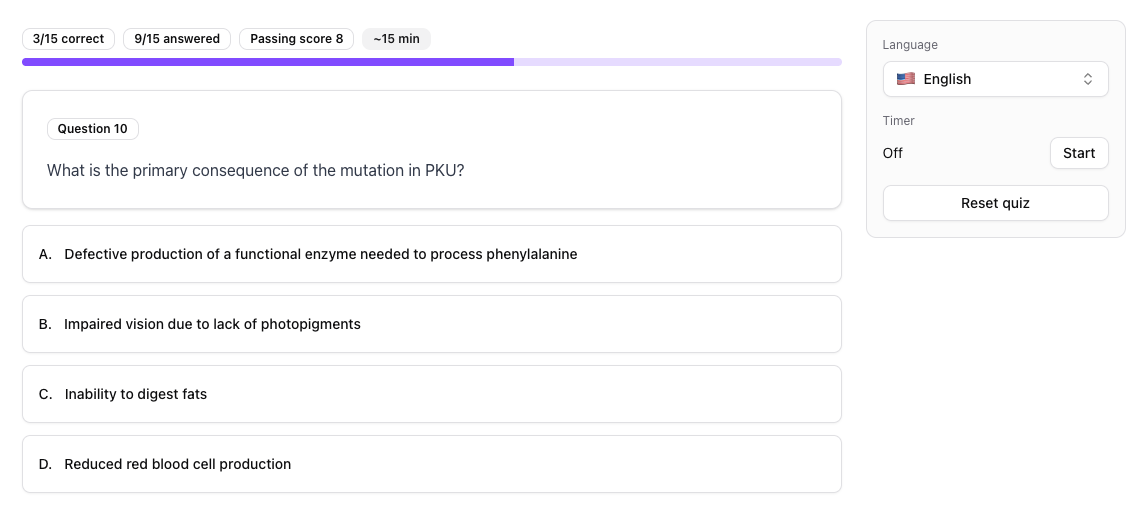
Step 5: Review Your Weak Spots
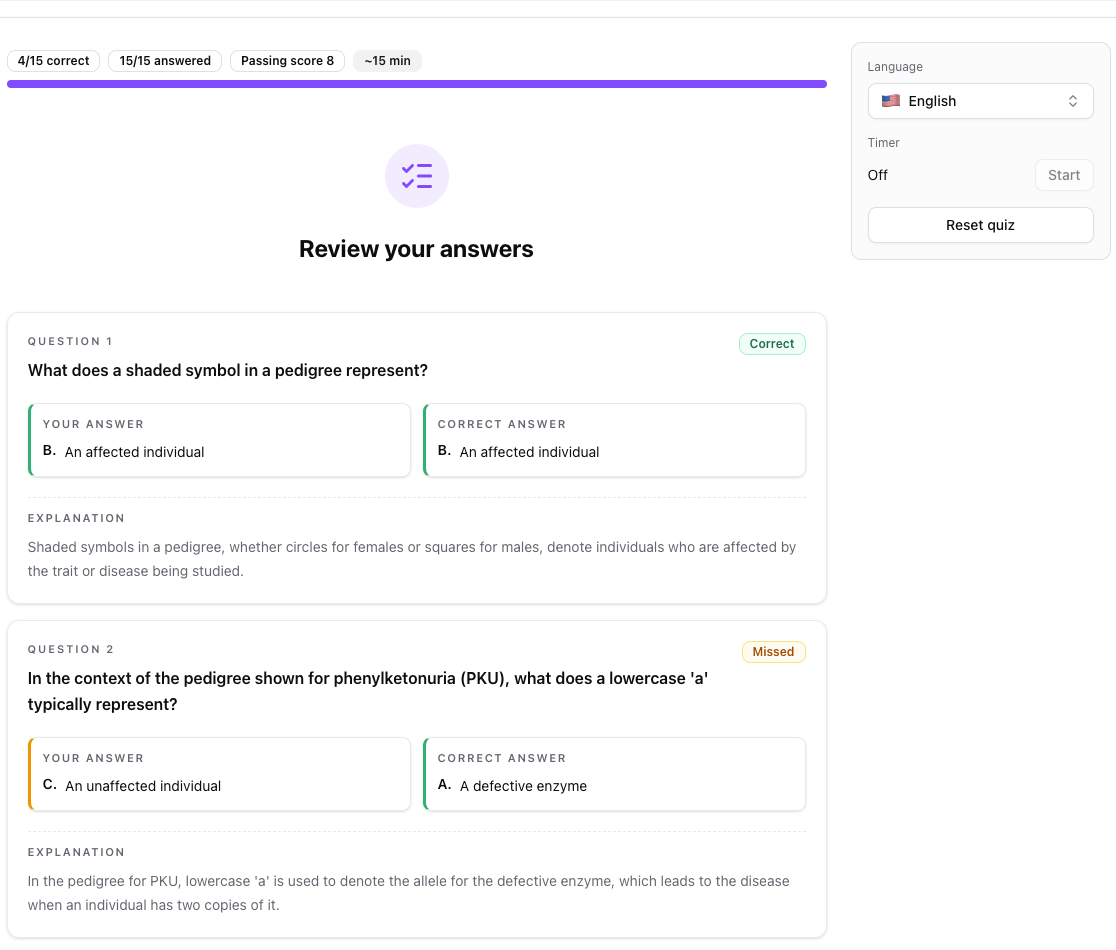
After completing the quiz, you get a full breakdown of every question—what you got right, what you missed, and explanations for the correct answers. Focus your next study session on the gaps.
Try it now — generate a quiz in 30 seconds →
What Types of PDFs Work for Quiz Generation?
Any PDF with readable text produces solid quiz questions. Here's what students commonly upload:
| PDF Type | Quiz Questions You Get |
|---|---|
| Textbook chapters | Definitions, concept application, cause-and-effect |
| Lecture slides | Key terms, main arguments, relationships between ideas |
| Study guides | Focused review questions on highlighted material |
| Research papers | Methods, findings, implications, key arguments |
| Course handouts | Whatever your professor emphasized |
Best Results: Upload by Topic
A 20-page chapter on cellular respiration produces more useful questions than a 200-page biology textbook. Upload focused chunks of material, and your quiz questions will be specific and relevant.
Make a Quiz From Notes: Not Just PDFs
While PDFs are the most common format, Digestly also generates quizzes from:
- Audio recordings — Upload a lecture recording and quiz yourself on what was said
- Video content — Turn YouTube lectures into practice tests
- Any uploaded document — If Digestly can read it, it can quiz you on it
This means you can create a practice quiz from your notes regardless of the format they're in.
Create a quiz from any study material →
Quiz vs. Flashcards: When to Use Each
Digestly generates both quizzes and flashcards from your PDFs. Here's when to use each:
Use quizzes when:
- You want to simulate exam conditions
- You need to identify weak areas quickly
- You're studying for a test with multiple-choice or short-answer questions
- You want to cover a lot of material in one session
Use flashcards when:
- You're memorizing specific terms or definitions
- You want spaced repetition over multiple days
- You're building long-term retention for cumulative exams
Best approach: Take a quiz first to find your weak spots, then use flashcards to drill the concepts you missed.
Tips for Better Practice Quizzes
Take the quiz before you feel "ready." The point is to expose gaps, not confirm what you know. Testing yourself early is more effective than waiting until you've reviewed everything.
Retake quizzes after a day or two. Spacing your practice tests improves long-term retention. Take the same quiz 48 hours later and see how much sticks.
Use written-answer mode for deeper learning. Multiple-choice is faster, but written answers force you to articulate concepts in your own words—which builds stronger understanding.
Generate new quizzes from the same material. Digestly creates different questions each time, so you won't just memorize answers to specific questions.
Stop Writing Questions. Start Answering Them.
Every minute spent writing quiz questions is a minute you're not studying. The science is clear: testing yourself works. The only barrier was the time it took to create the test.
That barrier is gone. Upload your PDF, get a practice quiz, and start learning in under a minute.
Generate your first practice quiz free — no credit card required →
Already using Digestly for flashcards? Try quiz mode on the same material—students who combine both retain significantly more than those who use either alone.
Related Reading:
- How to Create a Quiz from Your Lecture Notes in 30 Seconds
- Turn PDF Into Study Notes AI: 5 Tools Compared
- Nursing Study Guide: Create NCLEX Practice Questions From Your Notes
- CPA Exam Prep: Turn Accounting Textbooks Into Practice Quizzes
- Engineering Students: Turn Lecture Slides Into Practice Problems
Read more

How to Turn Any PDF Into Flashcards in 30 Seconds
Upload any PDF and get study-ready flashcards in 30 seconds. No typing, no formatting—just instant flashcards from your textbooks, slides, and notes.

The Active Recall Method Explained (and How to Automate It With AI)
Learn the active recall study method, the neuroscience behind it, and practical ways to turn notes into flashcards and quizzes with AI.

Engineering Students: Turn Lecture Slides Into Practice Problems
Turn your engineering lecture slides and textbook PDFs into practice problems in 30 seconds. A practical guide for STEM students who need more reps than the problem set provides.