


You have a 50-page PDF. Your exam is in two days. You know flashcards work, but spending three hours typing questions and answers feels like a waste of time you don't have.
What if you could go from PDF to flashcards in 30 seconds?
With Digestly, that's exactly how it works:
- Upload your PDF — drag and drop any file
- Generate notes — AI processes the document into structured study notes
- Switch to the Flashcards tab — generate flashcards from your notes in one click
- Start studying — review, edit, and quiz yourself
No typing. No formatting. No copying and pasting between apps.
Try it free — no credit card required →
Why Converting PDF to Flashcards Manually Doesn't Work
Reading a PDF feels productive. You're highlighting, scrolling, maybe even taking a few notes. But research consistently shows that passive reading is one of the least effective ways to learn.
The problem is clear:
- Rereading doesn't build memory. You recognize the material but can't recall it without the page in front of you.
- Making flashcards manually takes forever. For a 30-page chapter, you're looking at an hour or more of typing before you even start studying.
- Most tools don't accept PDFs. They want you to type or paste plain text, which defeats the purpose of saving time.
The result? Students either skip flashcards entirely or spend more time making them than actually learning from them. You need a way to convert PDF to flashcards without the manual work.
How to Turn a PDF Into Flashcards Automatically
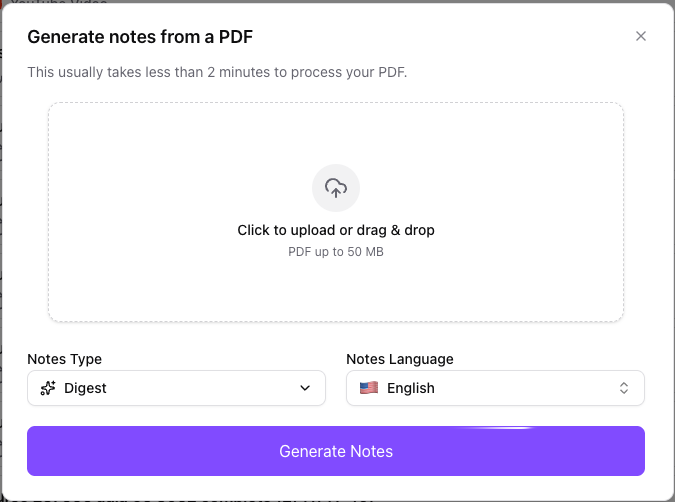
Step 1: Upload Your PDF
Drag and drop any PDF into Digestly—textbook chapters, lecture slides, professor handouts, case briefs, research papers. There's no page limit and no special formatting required.
Step 2: Generate Notes
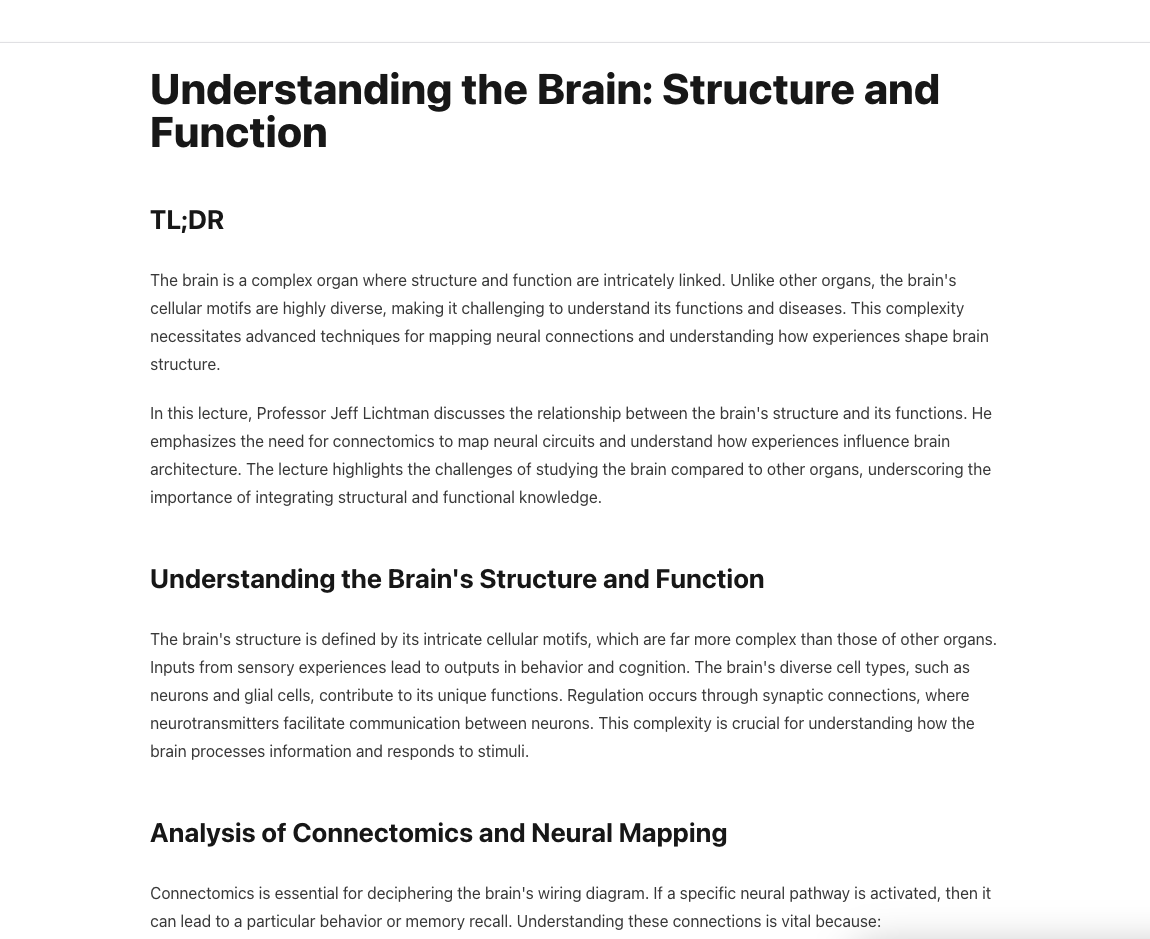
Hit "Generate Notes" and Digestly processes your document into structured study notes—extracting key concepts, definitions, relationships, and important details from the PDF.
Step 3: Switch to the Flashcards Tab
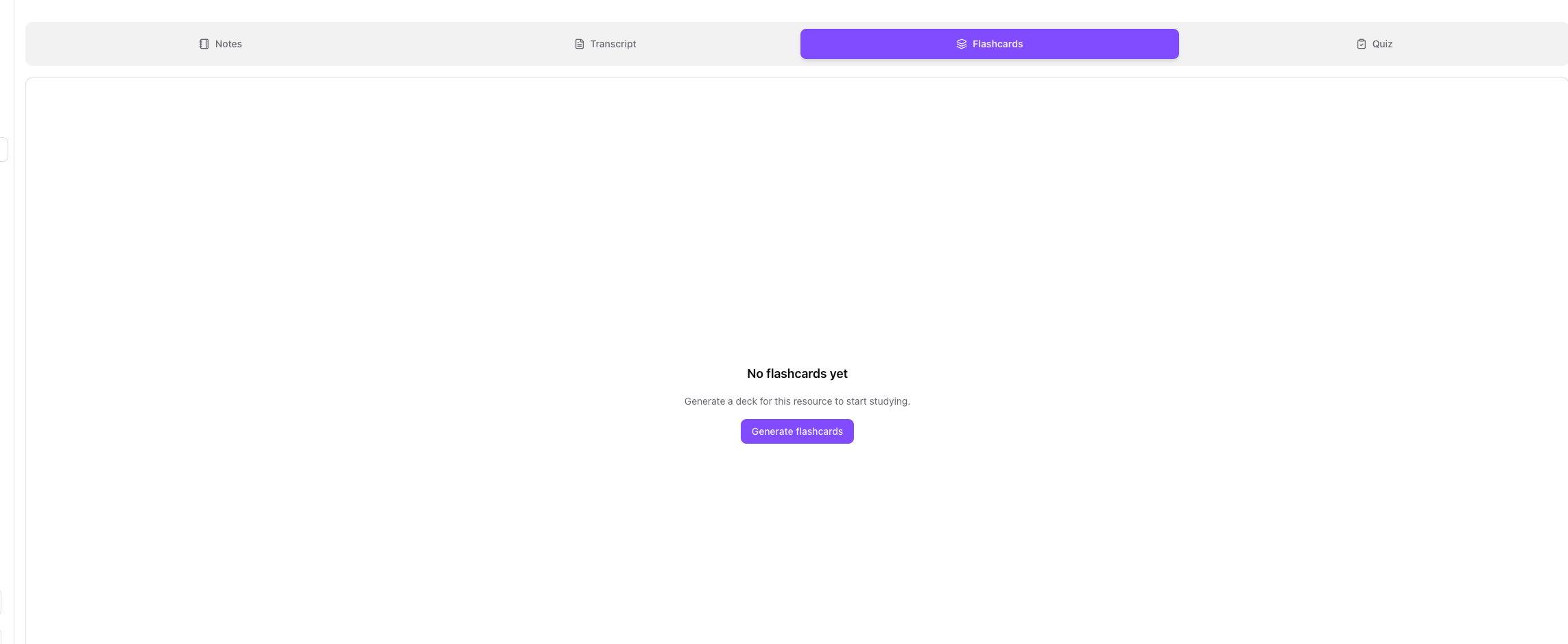
Once your notes are ready, navigate to the Flashcards tab and generate flashcards from the material. Digestly turns your notes into question-answer pairs that actually test your understanding.
Step 4: Start Studying
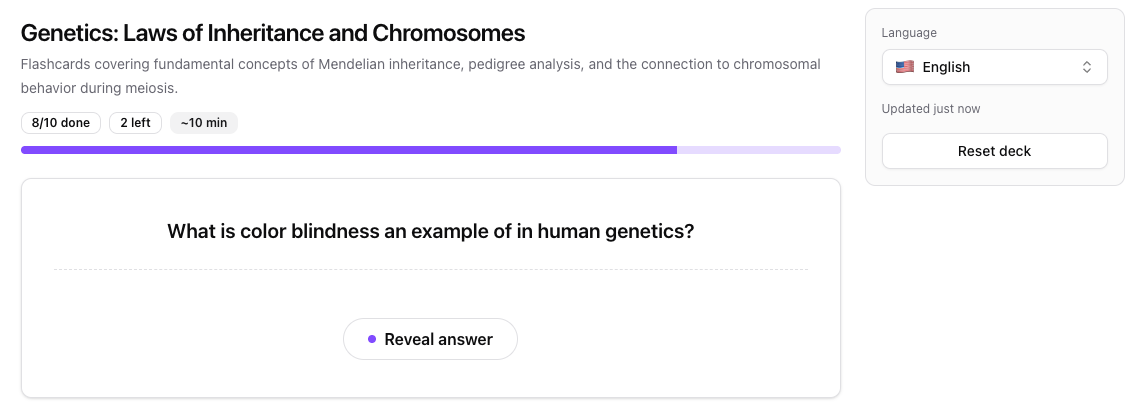
Flip through your flashcards one by one, testing yourself on each concept. The system tracks which cards you've completed so you can focus on what's left.
Turn your first PDF into flashcards — free →
What Types of PDFs Work Best for Flashcard Generation
Digestly handles any PDF with readable text, but some formats produce especially strong results:
- Textbook chapters — Dense with definitions and concepts, perfect for flashcard extraction
- Lecture slides — Bullet points and key terms translate naturally into Q&A pairs
- Study guides and summaries — Already condensed, so the flashcards are focused
- Research papers — Great for grad students who need to remember methods, findings, and key arguments
- Handouts and course notes — Whatever your professor distributes
It also works in multiple languages, so international students can study in their native language or practice in the language of instruction.
Upload any PDF and get flashcards in 30 seconds →
Tips for Better AI-Generated Flashcards
Upload by chapter, not the whole textbook. A 30-page chapter produces more focused, useful cards than a 500-page book. Break your material into digestible chunks.
Use quiz mode first. Before flipping through flashcards, take a practice quiz. It's a faster way to identify what you already know and what needs work.
Combine with summaries. Generate a summary of the same PDF to get context and an overview, then use flashcards for memorization. The two features work together.
Study the weak spots. After a quiz, Digestly shows you which concepts you missed. Focus your flashcard review on those areas instead of reviewing everything equally.
Combine with practice quizzes. Flashcards are great for memorization, but practice quizzes from the same PDF test deeper understanding. Use both for the best results.
Start making flashcards from your PDFs — no credit card required →
Stop Making Flashcards. Start Using Them.
The whole point of flashcards is active recall—testing yourself to build strong memories. But if you spend most of your study session creating cards instead of studying them, you're missing the benefit.
An AI flashcard generator handles the creation. You handle the learning.
Upload your first PDF and get flashcards in 30 seconds →
Already using Digestly for audio or video? PDFs work the same way—upload, process, study. Your flashcards, quizzes, and summaries are all in one place.
Related Reading:
Read more

MCAT Study Materials: Generate Flashcards From Biology PDFs
Turn your MCAT prep textbooks, biology PDFs, and lecture notes into flashcards in 30 seconds. A practical guide for pre-med students who need targeted review beyond Kaplan and Princeton Review.

Quizlet Alternative for PDF Study Materials (2026)
Looking for a Quizlet alternative that handles PDFs, YouTube, and audio? Compare Quizlet Plus vs Digestly — features, pricing, and which is better for studying from your own materials.

Best Anki Alternative for Students Who Hate Manual Cards
Anki's spaced repetition is powerful, but most students quit before they benefit. Compare Anki vs Digestly and find the flashcard workflow that actually fits how you study.